To embed the form into your website you will need to access and copy the code of the Returbo form.
- Make sure you are in the Returbo app. Once there, head to Activate Returbo block by clicking on Settings > Account Settings.
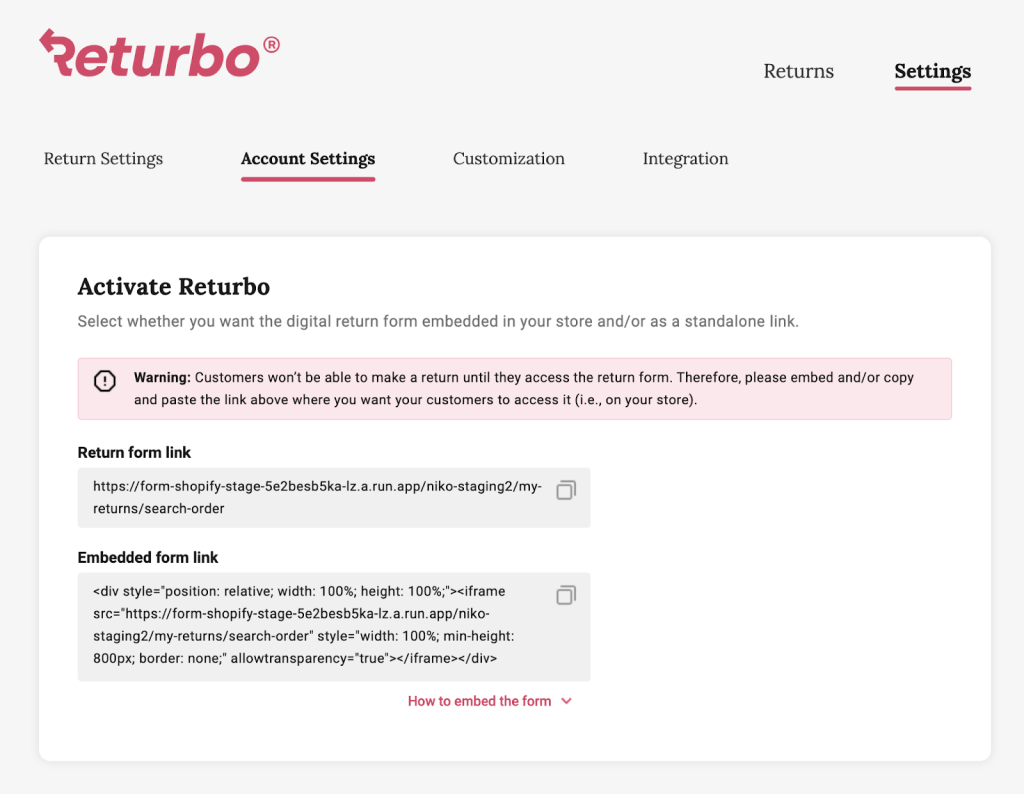
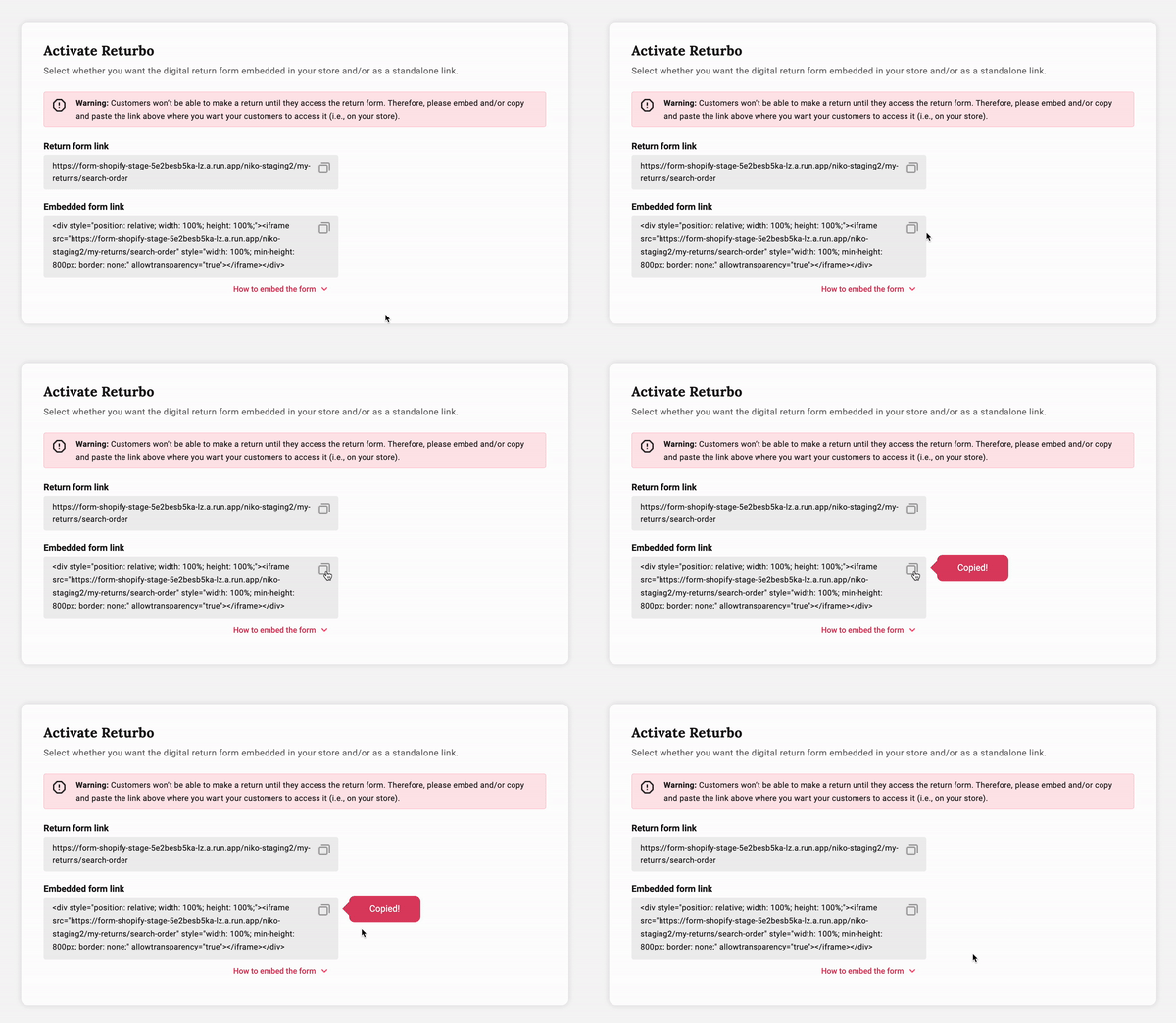
- When you find the Activate Returbo block, click on the copy icon at the top right of the Embedded form link field to copy the HTML code.
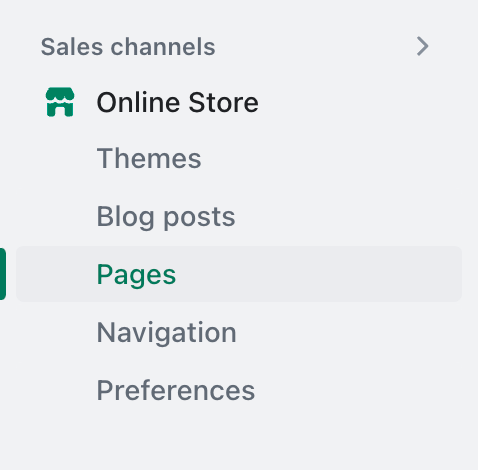
- Now click on your Online Store in the Shopify’s side navigation menu and head to Pages.
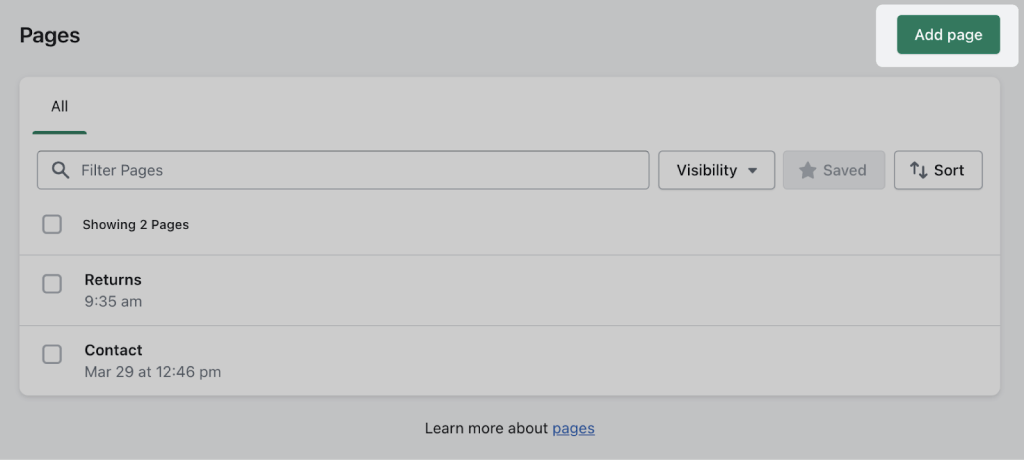
- If you do not have a Returns page yet – click on the Add page at the top right of the page. Otherwise, choose an already existing page where you would like to display your Digital Return From and click on it.
- Once inside the page, click on the [< >] icon at the top right corner of the text editor. Paste the copied HTML code into the text editor and then click the [< >] icon again to exit HTML code mode.
Tip: To paste the copied HTML code you can either right-click on the input field and press ‘Paste’ from the options menu or use keyboard shortcuts such as Ctl + V on Windows OS or Cmd + V on Mac OS.
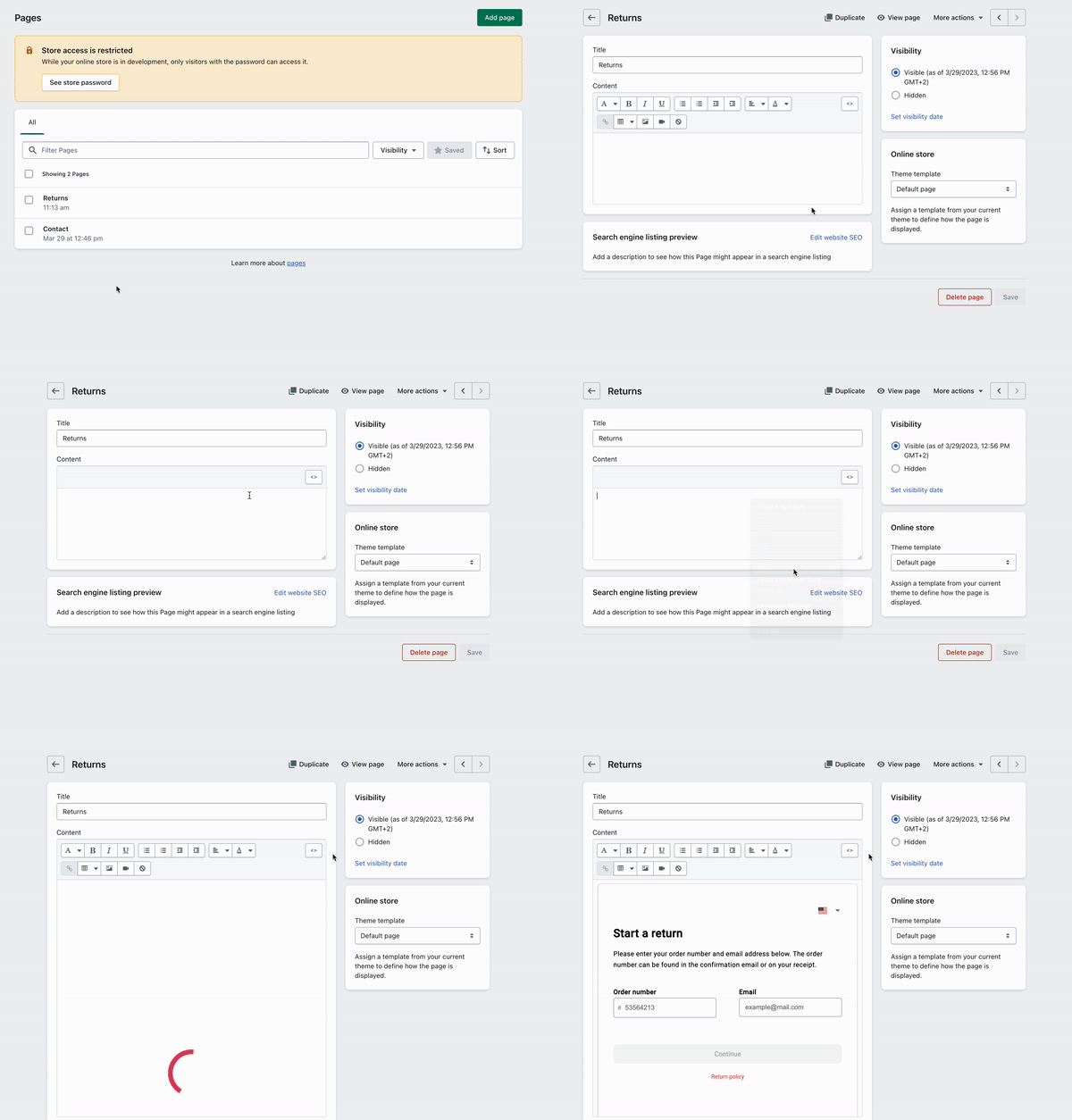
As a result, you should paste the same HTML code as you have copied in the Activate Returbo block. To verify it has been copied correctly – the Digital Return Form should appear in the text editor.
- Finally, click ‘Save’ and view your published page.
Tip: If you’d like to adjust the height or width of the return form, return to the Page editor, click on the HTML code button and change the height and width amounts in the code, then re-save the page.
- Make sure to save your changes, then visit your shop to see your return form in action.